header photo

Wednesday, June 22, 2011

Precision! Kinda.

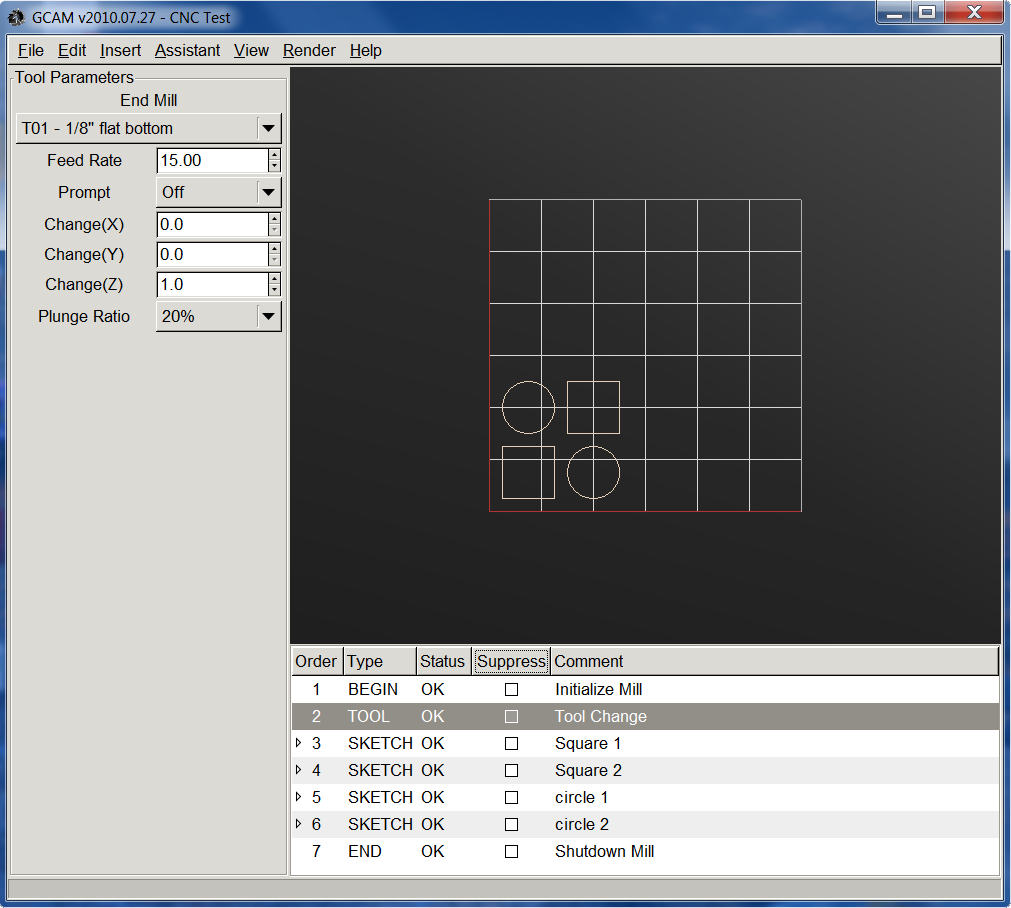
So now that I got the Dremel cutting things, I decided to test the accuracy of my machine by cutting 1in squares and circles.  I ended up cutting six circles and seven squares. The squares are surprisingly square and the circles are not quite perfect circles, but they are close. So the end result for my accuracy test:

Squares: 0.9818 +/- 0.01729 in
Circles:  0.9720 +/- 0.02246 in
 
I might be able to compensate somewhat with software. I can guarantee that my 1/8" end mill is cutting slightly larger then 1/8", resulting in slightly smaller squares and circles.


I used GCAM to create the G-Code for the test.
Time to make some real parts!

Sunday, June 12, 2011

It's Dremel Time! (& Video)

So I mounted my Dremel 4000 to my Z-axis with some U bolts and miscellaneous pieces of aluminum extrusion. It is actually pretty ridged.


I am currently in the process of moving so it might take a while before I get up and running at my new apartment.

Tuesday, May 24, 2011

Video of Testing!

I borrowed my fiancee's video camera and filmed my CNC machine drawing the snowflake example in EMC2 as well as the letters "GCAM" which I made using GCAM.

Tuesday, May 17, 2011

Testing continued (Pen)

Today I continued to test my machine with examples built into EMC2 and simple gcode generated by GCAM. I am fairly impressed with the abilities of this machine made from junk I got off ebay and junk from lowes.

Snowflake example.
The J and the circles I made in GCAM.
Close-up of the snowflake.

Tuesday, May 10, 2011

First Test (Pen)

I made a holder for a ball point in order to test my machine by drawing instead of cutting. I am surprised that the darn thing actually works! Although, I can tell that my table is not level since the pen will write in some places, but others it will not write, or even press to hard and rip the paper. Hopefully some tuning will solve these issues.


Monday, May 9, 2011

Z Axis Works!

Today I got the Z axis working! I used the same basic design as the other axes except I "flipped" it around. The Stepper motor moves with the tool and rails. Hopefully pictures explain it better.

I used 7 skateboard bearings to hold the axis.
Closeup of the bearings.
The nut is fixed to the frame so the stepper motor, rails and eventual tool move together.
All the axes together!

All connected and ready for testing!

Monday, April 25, 2011

Y Axis Works!

I finally finished the Y-axis. Same basic design as the X-axis, aluminum U-channels for the rails, skateboard bearings to ride the rails, 1/4-20 lead screw, custom built anti-backlash nut, and stepper motor. Ran both axises with the EMC2 logo built in G-code. Both axises work fine, although there is some flex in the X-axis rails as the Y-axis moves around.

X & Y axis

Bottom of Y Axis
Skateboard bearings, ride aluminum rail.
Ant-Backlashnut.
Stepper motor.

Now it is time to get going on the Z axis!